Smooth Motion Factory
움짤 메이커 / GifClip Maker (v3.1) : GIF/WebP Converter 본문
GifClip Maker v3.1: High-Quality Video to GIF/WebP Converter
Introducing GifClip Maker v3.1, a powerful all-in-one tool built with Python (PyQt6) designed to convert videos into high-quality animated GIFs and WebP files.
Featuring a sleek dark theme UI and powered by FFmpeg's encoding performance and Gifski's compression engine, it delivers the best possible results. Anyone can easily create high-quality animated clips using its robust editing features like Trimming, Cropping, and Resizing.
Key Features
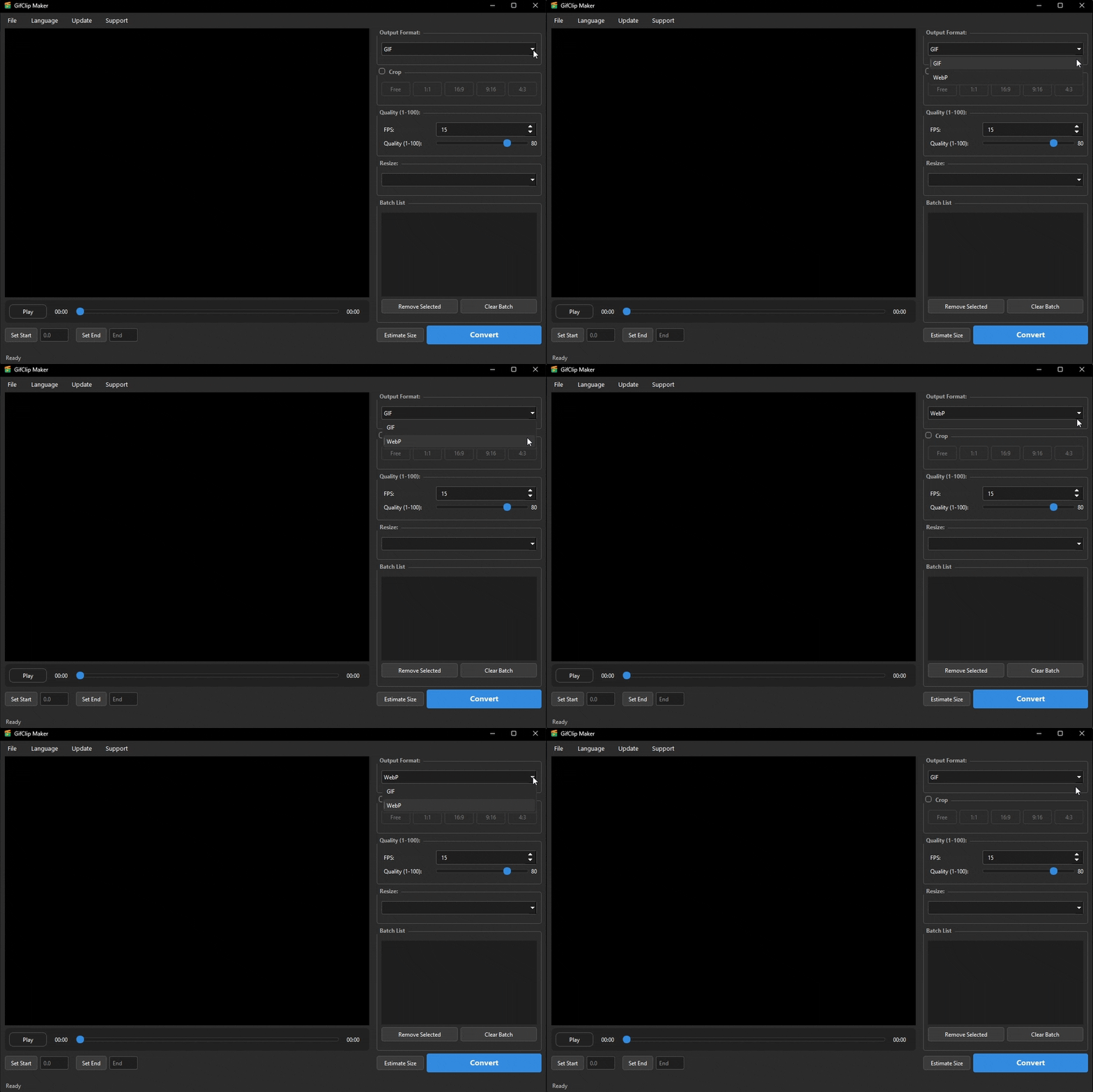
- Format Support:
- GIF: Highly compatible animated images.
- WebP: Next-gen format offering higher compression and better quality than GIF.
(Note: However, for absolute peak quality, WebP is still superior.)
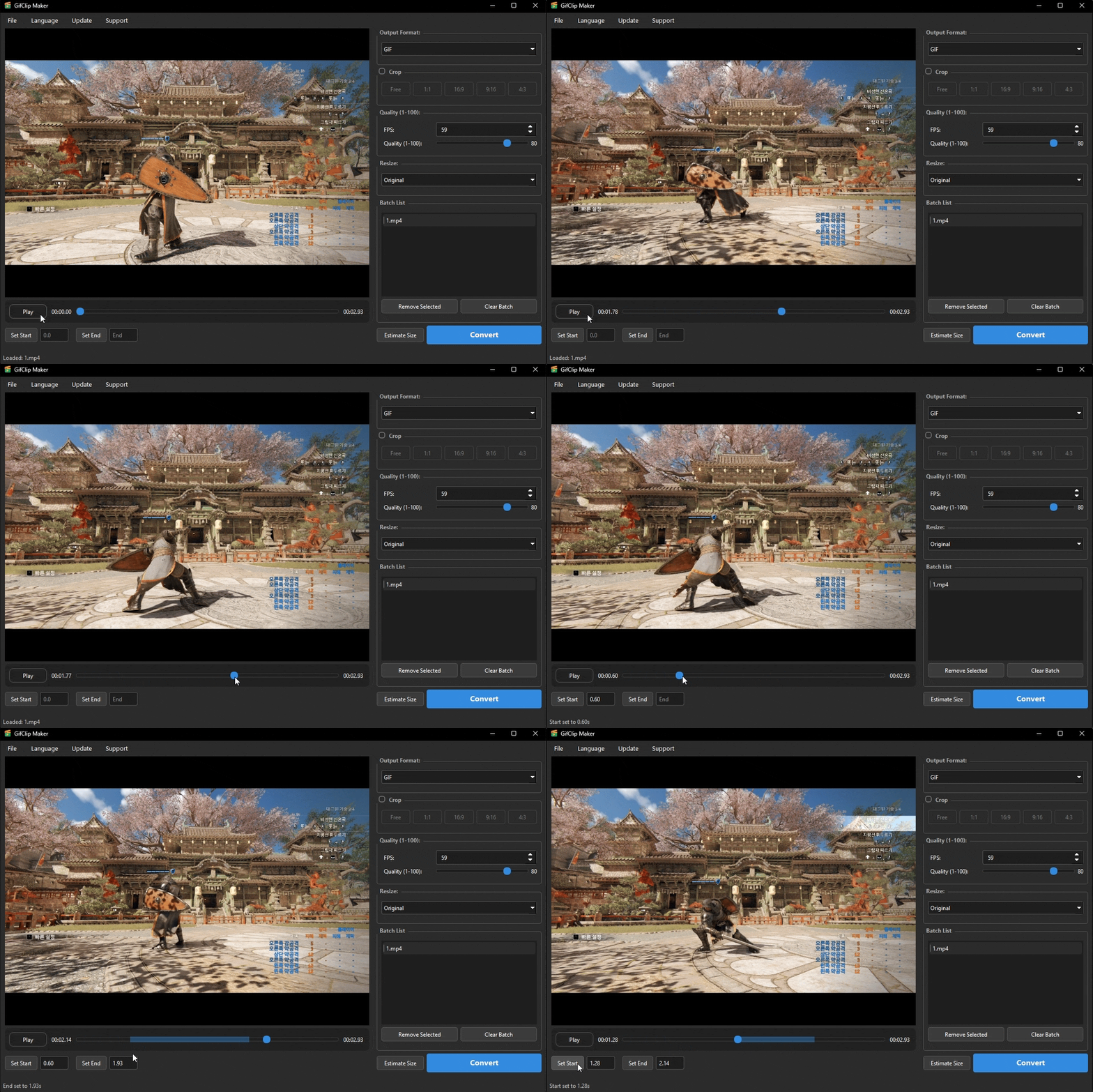
- Video Control:
- Trimming: Drag the timeline slider or use [Set Start/End] buttons to extract specific sections.
- Playback: Control via Spacebar or buttons. Instant frame navigation.
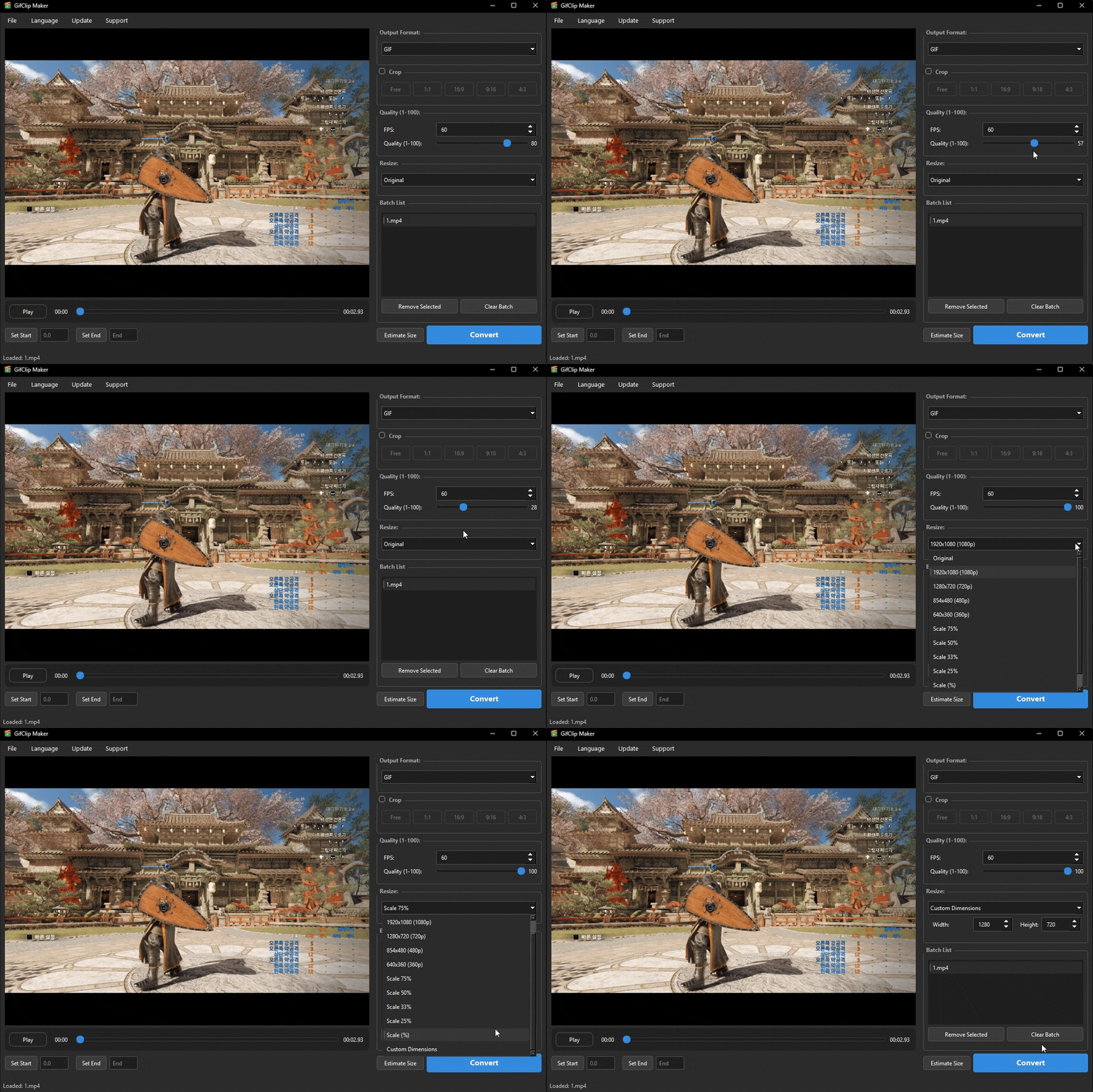
- Quality & Size:
- FPS: Adjust frames per second for smoother animation.
- Quality: Balance file size and clarity (1-100).
- Resolution: Use presets (FHD, HD) or custom resize options.
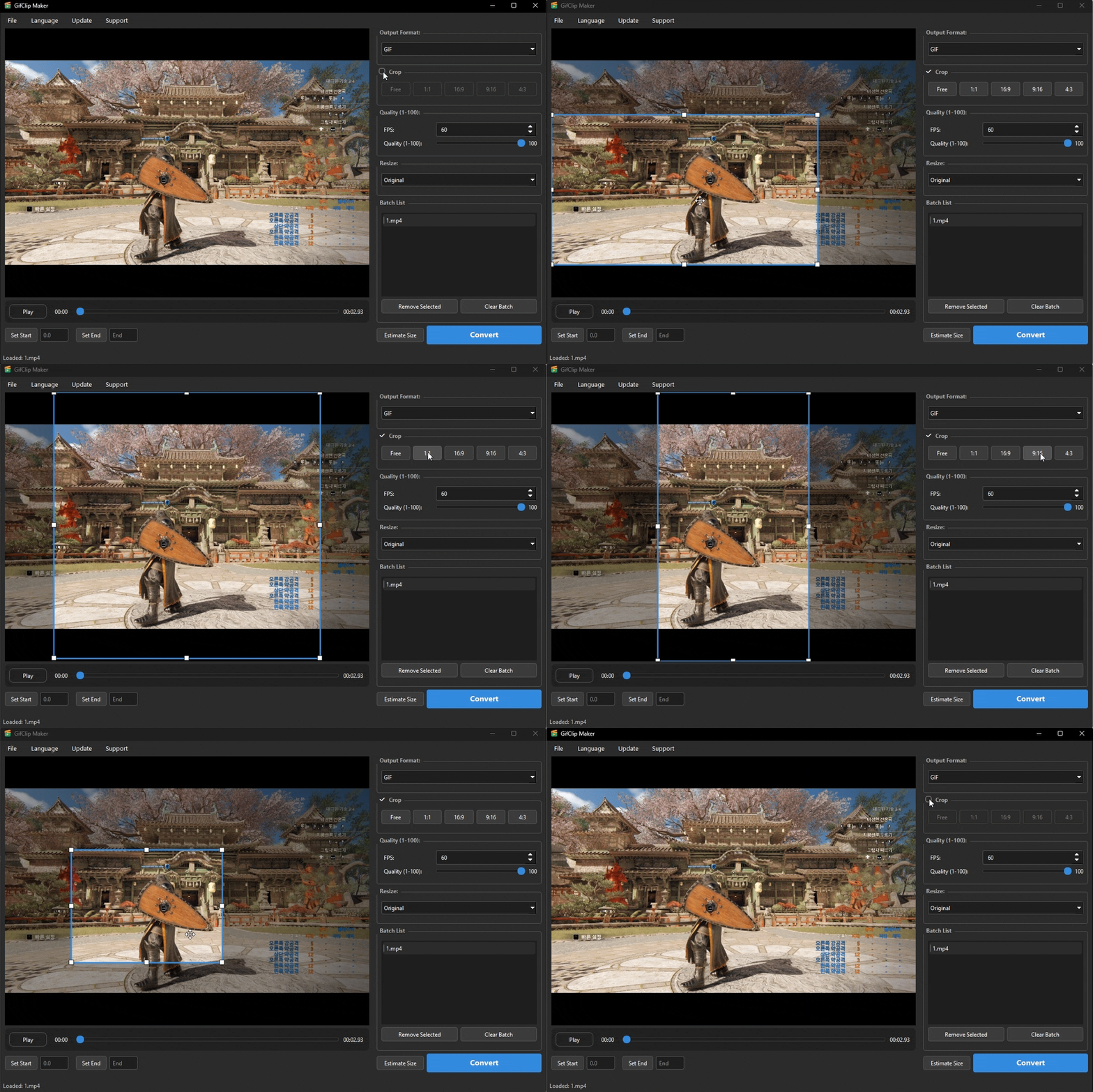
- Screen Cropping: Freely crop the video screen to desired size/position or use recommended ratios.
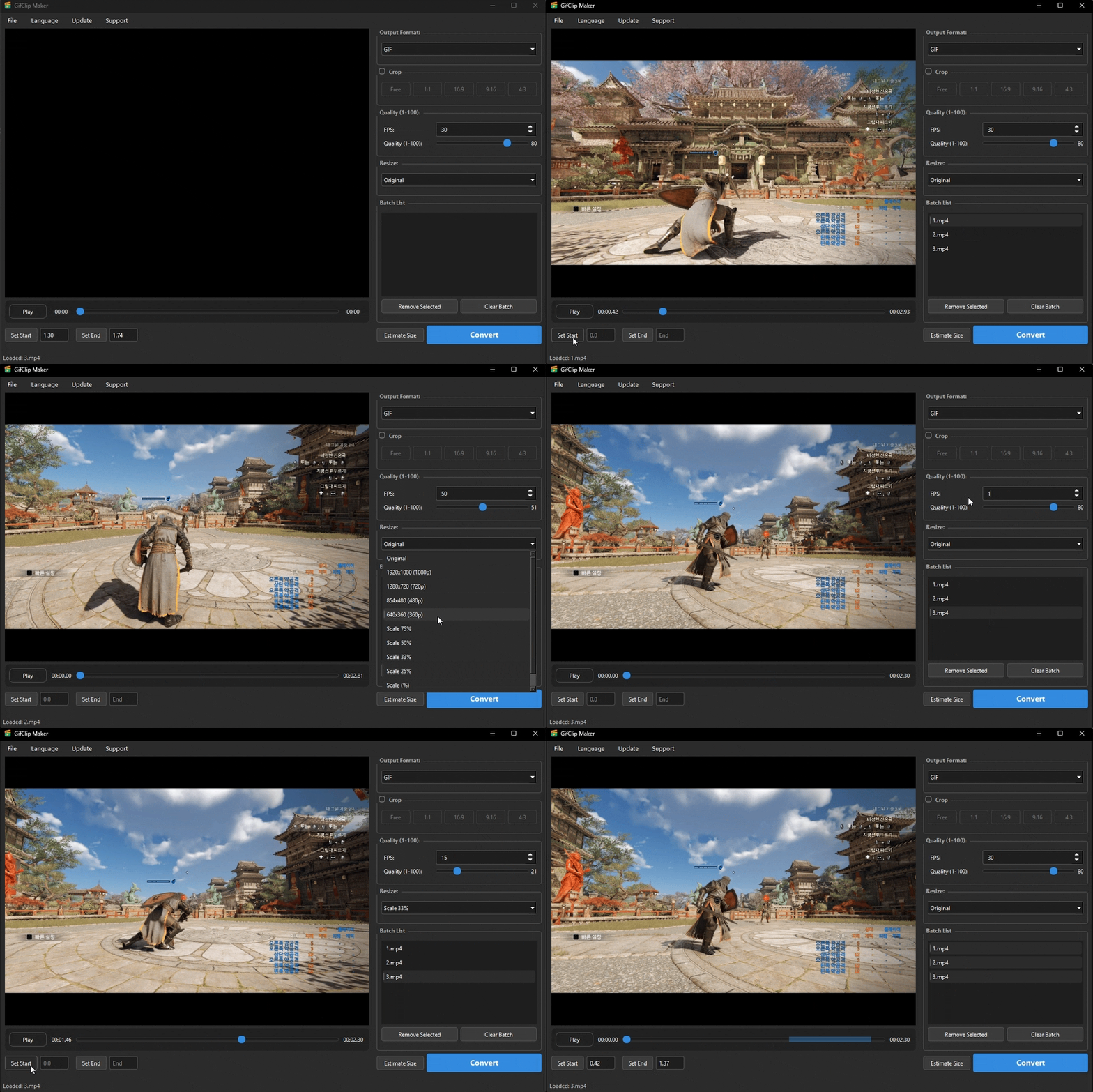
- Batch Processing: Register multiple video files to convert them sequentially with individual settings.
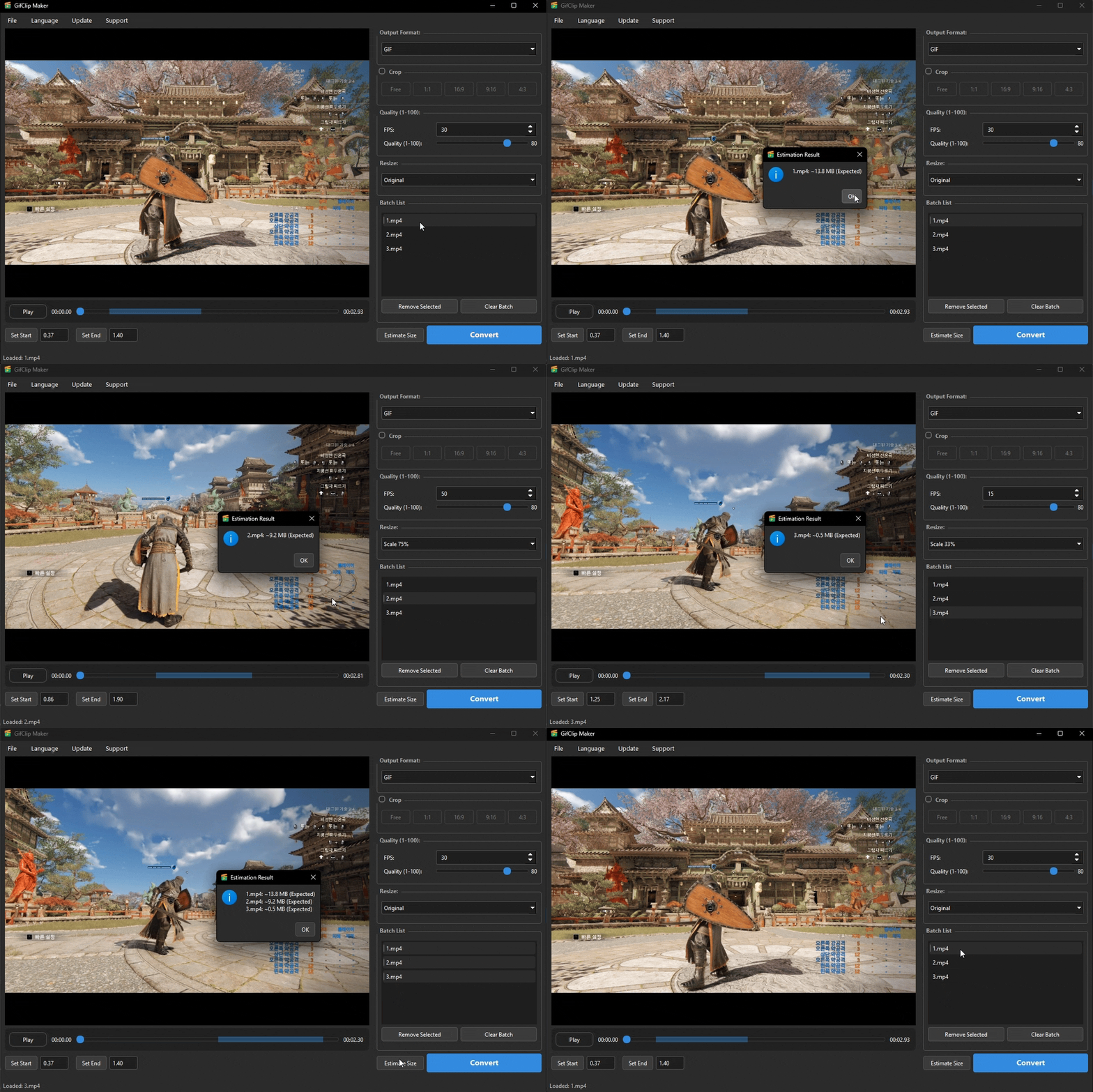
- Size Estimation – Estimates the output file size based on current settings. Please note that this is an approximation calculated by pre-converting 30% of the source, so actual results may vary.
Windows 10 / 11 (64-bit)
*No additional codecs or installations required (FFmpeg/Gifski included).
Download & Info
Download GifClip.Maker_v3.1_Windows.zipView v3.1 Update Details | GitHub Main Page
How to Use
- Go to [File] -> [Open Video] or drag & drop your video into the program.
- Adjust the yellow timeline slider or click [Set Start/End] to select the clip range.
- (Optional) Check the [Crop] box to cut out a specific part of the screen.
- Configure Output Format, FPS, Quality, and Size in the right-hand settings panel.
- Select a file from the list and click [Predict Size] or hit [Convert] immediately.
- Once finished, the result is saved in the same folder as the original video.
License & Credits
Development: Smooth + Antigravity (Powered by Google Deepmind)
License: Freeware (Free to use)
Open Source Notice:
This program includes binaries from the FFmpeg and Gifski projects and complies with their respective license regulations.
GifClip Maker v3.1: 고화질 움짤(GIF/WebP) 생성 도구
Python(PyQt6)을 기반으로 제작된 올인원 고품질 동영상 변환 도구, GifClip Maker v3.1을 소개합니다.
세련된 다크 테마 UI를 바탕으로 FFmpeg의 강력한 인코딩 성능과 Gifski의 고화질 압축 엔진을 결합하여 최상의 결과물을 만들어냅니다. 자르기, 크롭, 리사이즈 등 강력한 편집 기능을 통해 누구나 쉽게 고품질 '움짤'을 만들 수 있습니다.
주요 기능 상세
- 지원 형식 (Format):
- GIF: 호환성이 뛰어난 움직이는 이미지 포맷.
- WebP: GIF 대비 더 높은 압축률과 화질을 제공하는 차세대 포맷.
(단, 절대적인 초고화질 구현은 WebP가 우세합니다.)
- 비디오 제어:
- 구간 자르기: 타임라인 슬라이더나 [시작/종료 설정] 버튼으로 원하는 구간만 추출 가능.
- 탐색: 스페이스바로 재생/일시정지 및 슬라이더로 프레임 즉시 이동.
- 품질 및 크기 제어:
- FPS (프레임): 부드러운 움직임을 위한 초당 프레임 설정.
- 품질 (Quality): 용량과 화질 사이의 밸런스 조절 (1~100).
- 해상도: FHD, HD 프리셋 또는 사용자 직접 입력 리사이즈 지원.
- 화면 자르기 (Crop): 원하는 위치와 크기로 화면 일부분만 자유롭게 잘라내기 지원.
- 일괄 처리: 여러 비디오 파일을 등록하여 개별 설정 적용 및 연속 변환 가능.
- 용량 예측 (Size Estimation): 현재 설정을 기반으로 출력 파일의 예상 용량을 계산합니다. 원본의 약 30%를 미리 변환하여 추산하는 방식이므로, 실제 결과물과는 차이가 있을 수 있습니다.
Windows 10 / 11 (64비트)
*별도의 코덱이나 프로그램 설치가 필요 없습니다. (ffmpeg.exe, gifski.exe 내장)
다운로드 및 정보
GifClip.Maker_v3.1_Windows.zip 다운로드3.1 업데이트 상세 보기 | GitHub 메인 페이지
사용 방법
- [파일] -> [비디오 열기]를 선택하거나 프로그램을 향해 동영상을 드래그합니다.
- 하단의 노란색 타임라인을 조절하여 움짤로 만들 시작/종료 구간을 선택합니다.
- (선택 사항) [Crop] 체크박스를 켜서 화면의 일부분만 잘라냅니다.
- 우측 설정창에서 출력 포맷, FPS, 품질, 크기를 설정합니다.
- 리스트에서 파일을 선택해 [용량 예측]을 해보거나, 바로 [변환하기] 버튼을 누릅니다.
- 변환이 완료되면 원본 파일이 있는 폴더에 결과물이 저장됩니다.
라이선스 및 크레딧
개발: Smooth + Antigravity (Powered by Google Deepmind)
라이선스: 이 프로그램은 무료 소프트웨어(Freeware)입니다.
오픈소스 고지:
이 프로그램은 FFmpeg 및 Gifski 프로젝트의 바이너리를 포함하고 있으며, 해당 프로젝트들의 라이선스 규정을 준수합니다.
'Tool' 카테고리의 다른 글
| OAR External Tool (0) | 2026.02.14 |
|---|---|
| YouTube Comments Gone? It happens on Vertical Monitors & Split Screens! (0) | 2025.12.17 |
| Smooth's Tool Updates (0) | 2025.12.13 |
| GifClip Maker / 움짤 메이커 (Video To GIF/WebP Tool) (0) | 2025.12.11 |
| Video to GIF Converter VtoG (Free Windows Tool) (0) | 2025.12.10 |


